

A series of 12-hour experimental designs about
unusual controls and touching grass.
A casual narrative-based cozy puzzle game about
repairing magical artifacts to help their owners, and yourself.
Genre: Experimental Game
Engine: Unity 6
Project Duration: 3 Months
Role: Designer and Developer, Solo
TOUCH GRASS! is a series of seven 12-hour game design experiments, with the overarching theme of experimenting with unusal controls using a keyboard and mouse. The project's intent was to challenge myself as a designer with structured exercise in working against creative perfectionism, shipping under pressure, working out of my comfort zone and exploring unfamiliar design territory.Across the seven experiments, a clear design space emerged: treating the physical layout and behaviour of input devices as a game mechanic in their own right, rather than a transparent interface. The most successful experiments came from pushing that idea in different directions.All prototypes were designed and developed by myself in Unity 6.
Experiment Highlights
Tape Grass
Record your path and manipulate your actions through time
Key Dungeon
Use your mouse and keyboard to tackle a dungeon's obstacles
Catter Pillar
Guide a wiggly, slinky stack of physics-simulated cats
Project Breakdown
Game Design
I designed all seven experiments, from concept through implementation. With the theme of experimenting with unusual controls, I found myself being drawn to the idea of treating the input devices as spatial and physical objects rather than transparent interfaces. I narrowed in on the spatial layouts of a keyboard and mouse, and each experiment asked what happens when those properties become the game itself.With each experiment, I focused on asking myself: how can I make the controls themselves interesting gameplay? How does an input scheme allow a player to feel what they're doing within the game? If I move outside of standardized control schemes, what interesting mechanics or gameplay feels can I find?Not every answer landed, and my earlier experiments especially were thinner. However, asking the same question in multiple different directions is what surfaced the stronger later ideas, and I often found in the process of one I'd find something interesting for another. For example: the mouse-based controls in Climber mapped each hand to a mouse button and forced the players to keep the buttons held to hold on, and that eventually led to Catter Pillar, a concept I discovered while experimenting with how I could design a mousewheel-driven mechanic.
Early test mousewheel-driven movement mechanic for Catter Pillar.
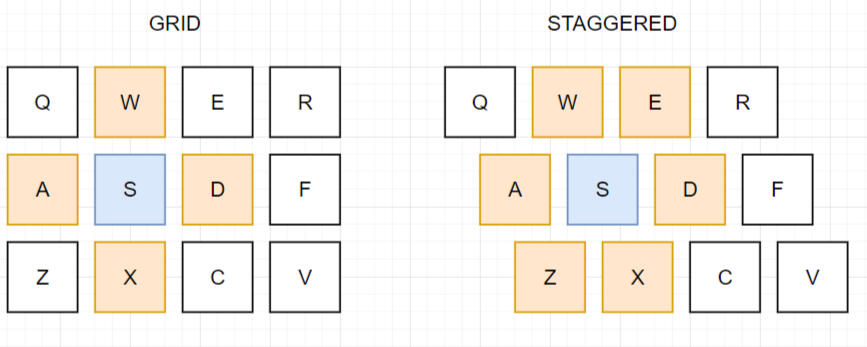
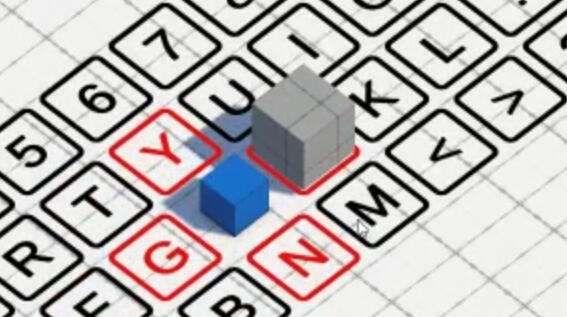
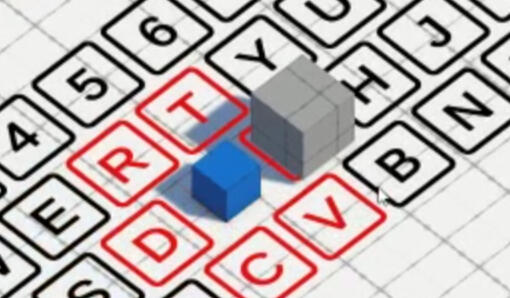
Establishing a specific testing goal, and developing prototypes to test to address it (keyboard layouts in Key Crawler)
Prototyping & Testing
Seven playable prototypes developed from start to finish. Throughout the project, I identified the need for two distinct testing phases per experiment: one validating whether the core idea; and another to refine gameplay, level design and feel of the experiment’s final gameplay experience. This was quickly integrated into my workflow for each experiment.Unconventional controls with limited dev time also resulted in a consistent challenge: players needed to discover and intuit the mechanics without a full tutorial. Finding the right balance between showing and letting players figure it out themselves was something I had to calibrate through testing and prototyping.I made sure to frame my prototypes and testing to answer specific design questions rather than just aimlessly iterating, while also remaining open to observations outside of the main intent. In Key Crawler, the spatial relationship of the keyboard to the game space was especially important. I tested two keyboard layouts to see which players preferred. I got that answer, but watching how testers interacted with the prototype also surfaced ideas for gameplay twists I hadn't considered, which eventually led to Key Dungeon.
Unity Development
Each experiment required varied and unique systems built from scratch within the time constraint; I often had to write bespoke movement and camera controllers to suit each experiment, for example. I worked to build modular and flexible systems that I could reuse in later experiments.Notable implementations include:
Live Replay System that records all player inputs and displays them on a visual timeline that allows real-time scrubbing, with game state updating continuously
Virtual Keyboard Emulation that mimicked Unity's own Input system functionality with keys states while using a fake keyboard, used for Gamer Simulator
Physics Simulation-based Movement in various iterations for different gameplay needs such as custom IK handling, unique creature locomotion with complex joint interactions, physics-based climbing simulations, and others
3D World-space Mouse Handling to allow players to interact with 3D objects and environment, used and reused across multiple experiments
... And more!
Early development test for mouse-driven physics-based climbing system used in Climb Grass.
Postmortem
What Worked
As a designer I enjoy challenging myself and I’m also drawn to novel, unique and interesting ideas. This project’s structure allowed me to do that, and with each experiment I was also able to deliberately seek out something new to explore and learn within the game engine and within design. Several of these ideas are things I am keen on building on in the future, and I am unlikely to have found them outside of this experimental project. I’m also happy with how I was able to refine my workflow and design process to suit what was needed for the project, such as with the defined testing phases.
What Didn’t
The project brief was loose enough that the first few experiments were partly wasted finding the overall design space. No real definition for scope also meant the experiments vary pretty wildly in terms of complexity, which in turn makes each final playable product inconsistent in polish and quality. I accepted this as a cost of the format, but it does show in the final work.
What I’d Change
For the future, I would consider defining a more specific design space beforehand rather than discovering it through experiments. I’d also try to define a clearer scope ceiling and adjust the time constraint to try and achieve more consistent quality across the final output.
Genre: Casual, Cozy, Narrative, Puzzle
Engine: Unity
Project Duration: 3 Months
Role: Lead Designer, Production Manager
RESTORIAN is a cozy narrative game about magical sewing. Burnt out and looking for a chance of pace, you move in with your grandfather, a master Restorian, to apprentice under him. Learn to master the craft of Restoration, weaving magical energies to restore magical objects. Help your clients repair something of their lives, and maybe learn to mend something of your own along the way.Players restore objects by weaving magical thread across them using the cursor, a mechanic designed to feel meditative and expressive rather than puzzle-like. Between repairs, they reflect on what they've learned by connecting constellations in the night sky, and carry those lessons toward a personal object they won't be able to fix until the very end.The game was built by a six-person team over three months. I served as Design Lead, Production Manager, and one of two Unity developers, and additionally assisted with writing and narrative design. As Production Manager, I coordinated tasks and scheduling across writing, art, design, and development for the full three-month production, and maintained cross-discipline alignment between leads throughout.

Visual Novel
Meet and get to know the characters and their stories as you help them
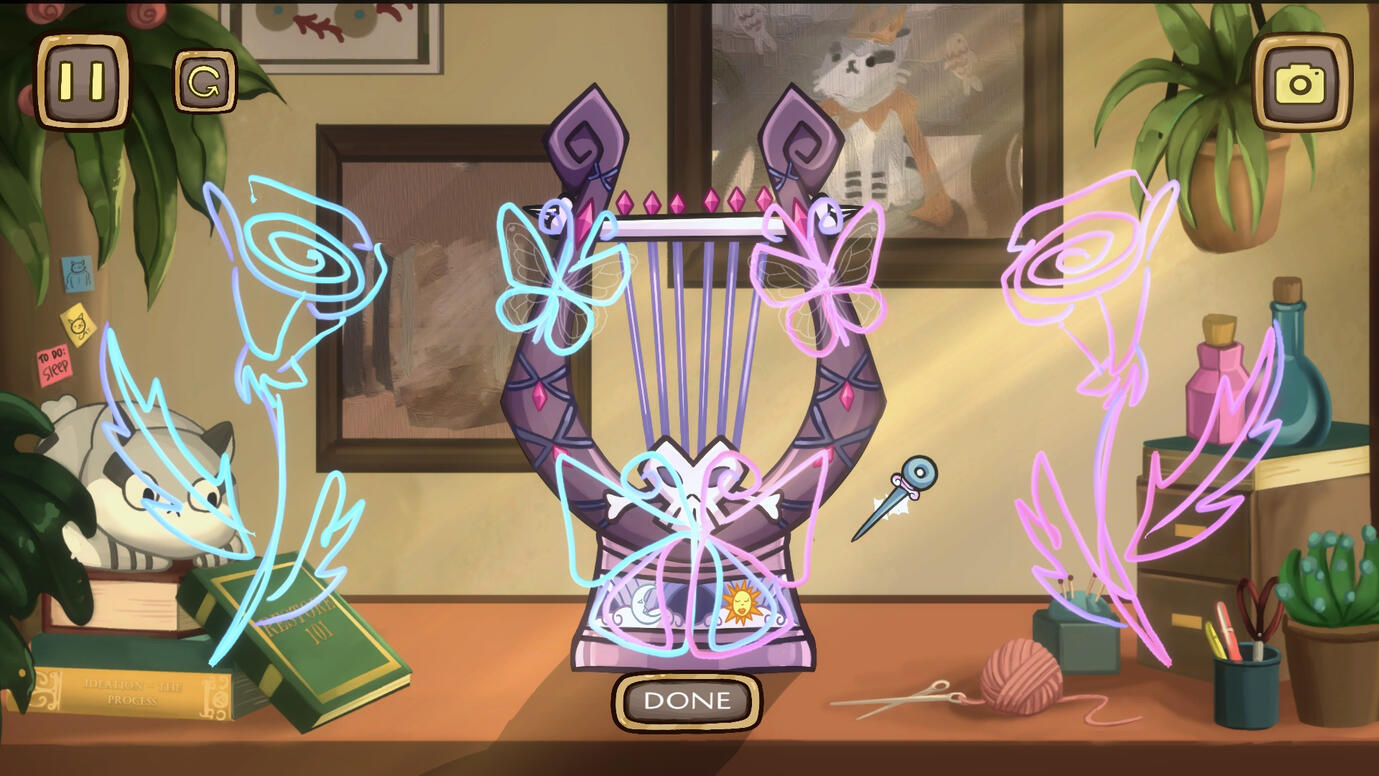
Cozy and Creative Gameplay
Use magical thread to restore broken items and decorate them for customers
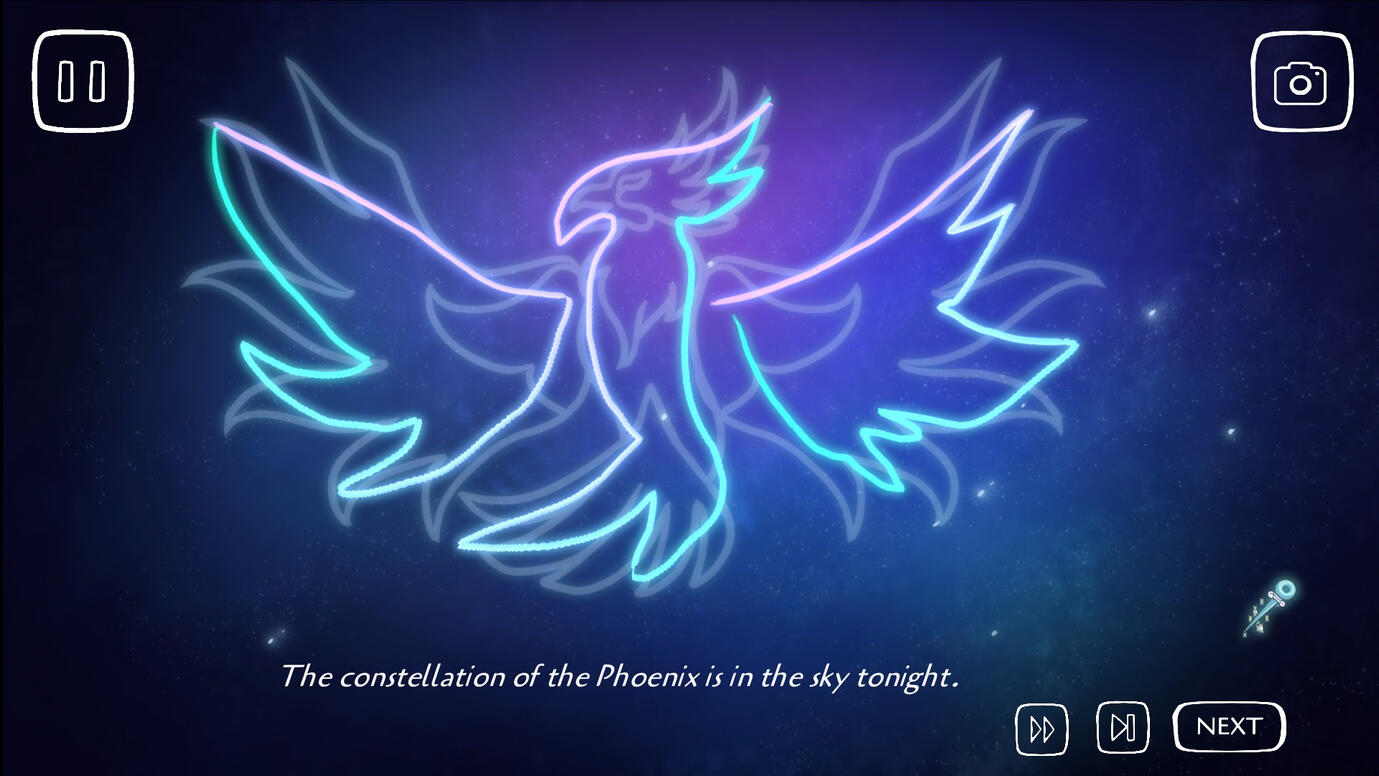
A Cozy Narrative
Learn about yourself as you learn about others, and mend something of your own
Project Breakdown
Game Design
As Design Lead, I spearheaded the overall game design. The core challenge here was building a mechanic that felt cozy, meditative and engaging, while carrying narrative weight and complementing the story rather than just existing alongside it. After much research on different crafts, I designed an embroidery-inspired sewing mechanic that felt satisfying as a pure activity, while still having enough potential to build mechanical puzzles and interactions around.I created and maintained the GDD, containing detailed breakdowns of everything from the minute behaviours of the sewing mechanics to the overall structure of the game and how the player would move between gameplay and narrative levels. I broke down the gameplay and into individual modular "Sewing patterns", making them easier to technically implement and to work with for level design.Working with our Narrative Lead, I conceptualized the constellation and gift scenes, that would allow the player to reflect and express themselves freely with the gameplay mechanics they'd just mastered. I also designed gameplay puzzles and levels, ensuring gameplay beats and mechanics were designed around the story content.
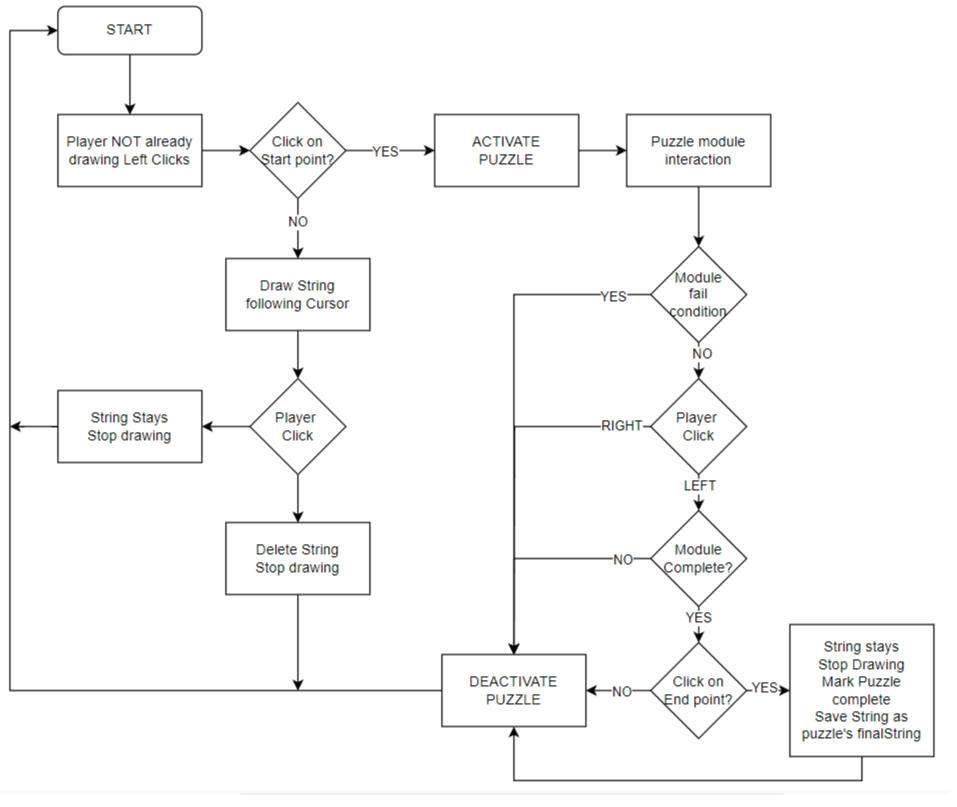
Puzzle flowchart reference diagram from the GDD.
CAPTION
Unity Development
My development work focused on the visual novel infrastructure and giving the writing team tools to work without directly interfacing with code.I implemented YarnSpinner and extended it with custom commands for triggering music and animations directly from .yarn dialogue files. I also built a custom scene management system tracking each scene's background, dialogue, and yarn file in the story sequence. Beyond YarnSpinner defaults, I implemented an accelerating fast-forward and a scene-level skip button, both requiring custom handling.On the gameplay side, I worked with the existing code to design and implement the "Inspection" system that would lead into each gameplay puzzle. I also used the puzzle prefab system to design and implement levels, sequencing patterns and integrating them with YarnSpinner dialogue triggers.
Postmortem
What Worked
The most valuable design decisions on Restorian came from watching players rather than designing in isolation. Canvas mode wasn't planned, it emerged from observing testers spending time freely drawing during gameplay levels, which signaled that the mechanic had expressive value beyond puzzle-solving. Following that instinct paid off, and it became one of the most positively received parts of the game.
What Didn’t
One level was designed to reflect a character's emotional rigidity by heavily constraining the player's sewing by limiting where thread could be placed. The intent was for players to feel what the character feels. Testing showed that players just found this actively frustrating rather than challenging. Instead of taking this as a sign to reorient the design towards what was really working, the freeform and cozy gameplay, I held onto the mechanic and spent more time than warranted trying to make it work.
What I’d Change
Trust testing sooner and make sure to always align design decisions with the overall intended experience. We set out to produce a cozy game and we were succeeding, and my experiments with limiting and constraining the gameplay went against that. Clearer negative design constraints as well as remembering to re-align with the vision for the overall game would've made everything smoother.
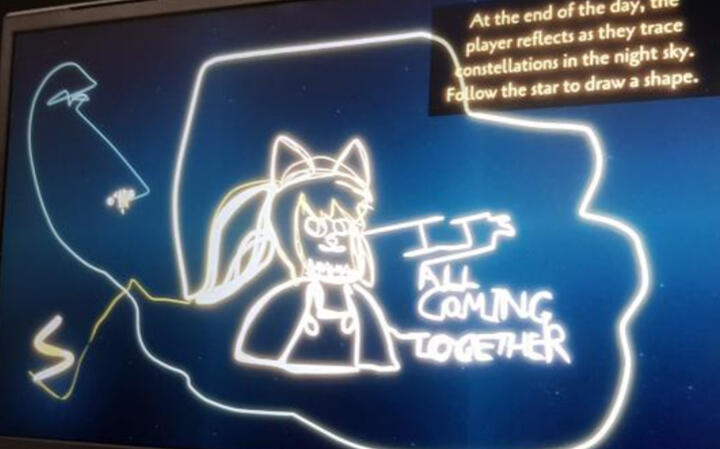
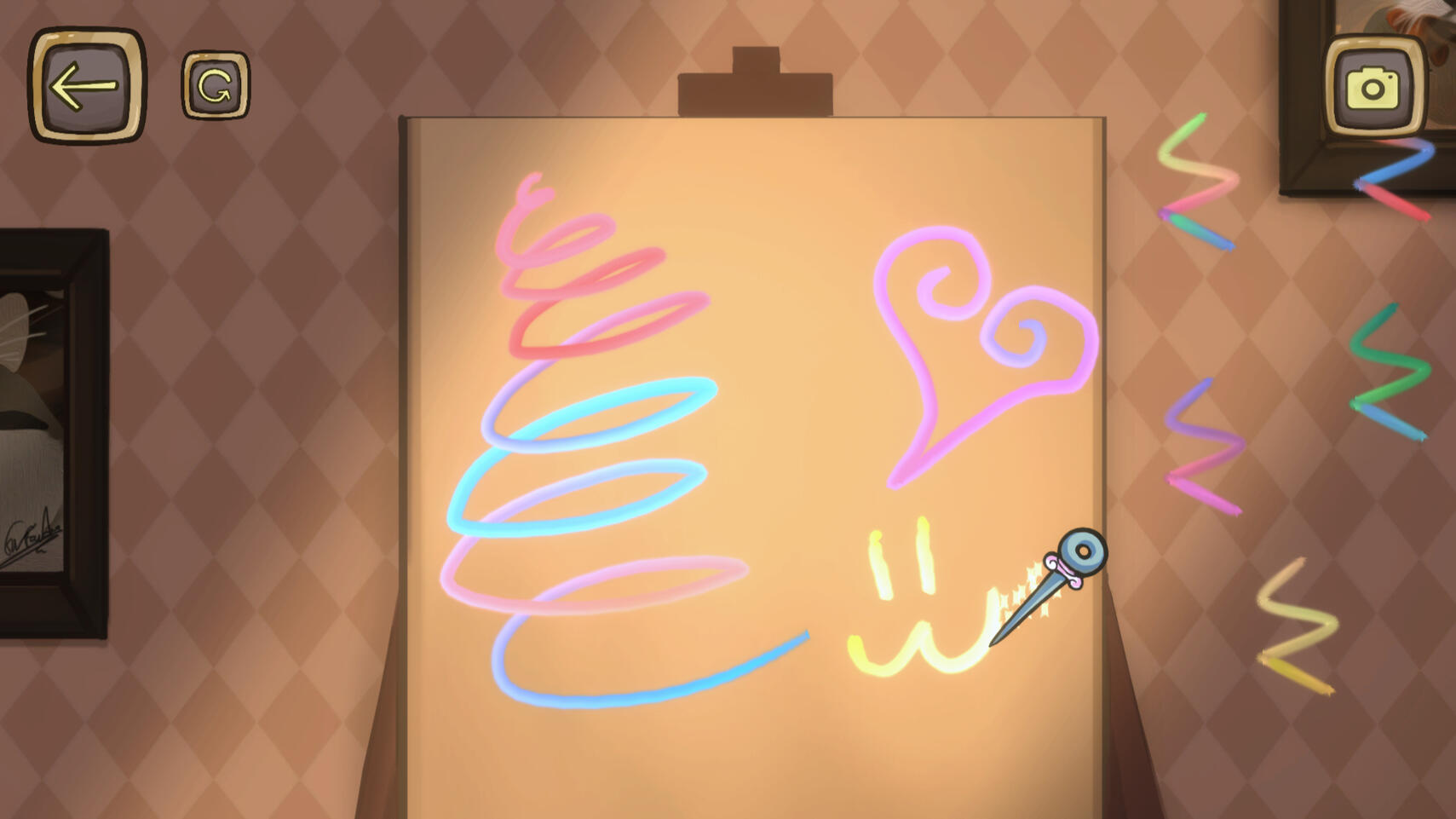
Testers were observed playing with sewing mechanics during gameplay levels, which led to the development of Canvas Mode.